How to get your Airbnb iCal (calendar) URL
Airbnb publishes your booking calendar as an iCal (.ics) URL. Register that URL with a cleaning-management tool or another site's calendar, and new bookings and checkouts flow through automatically.
Steps
- Log in to Airbnb as a host and open the Calendar.
- Select the listing.
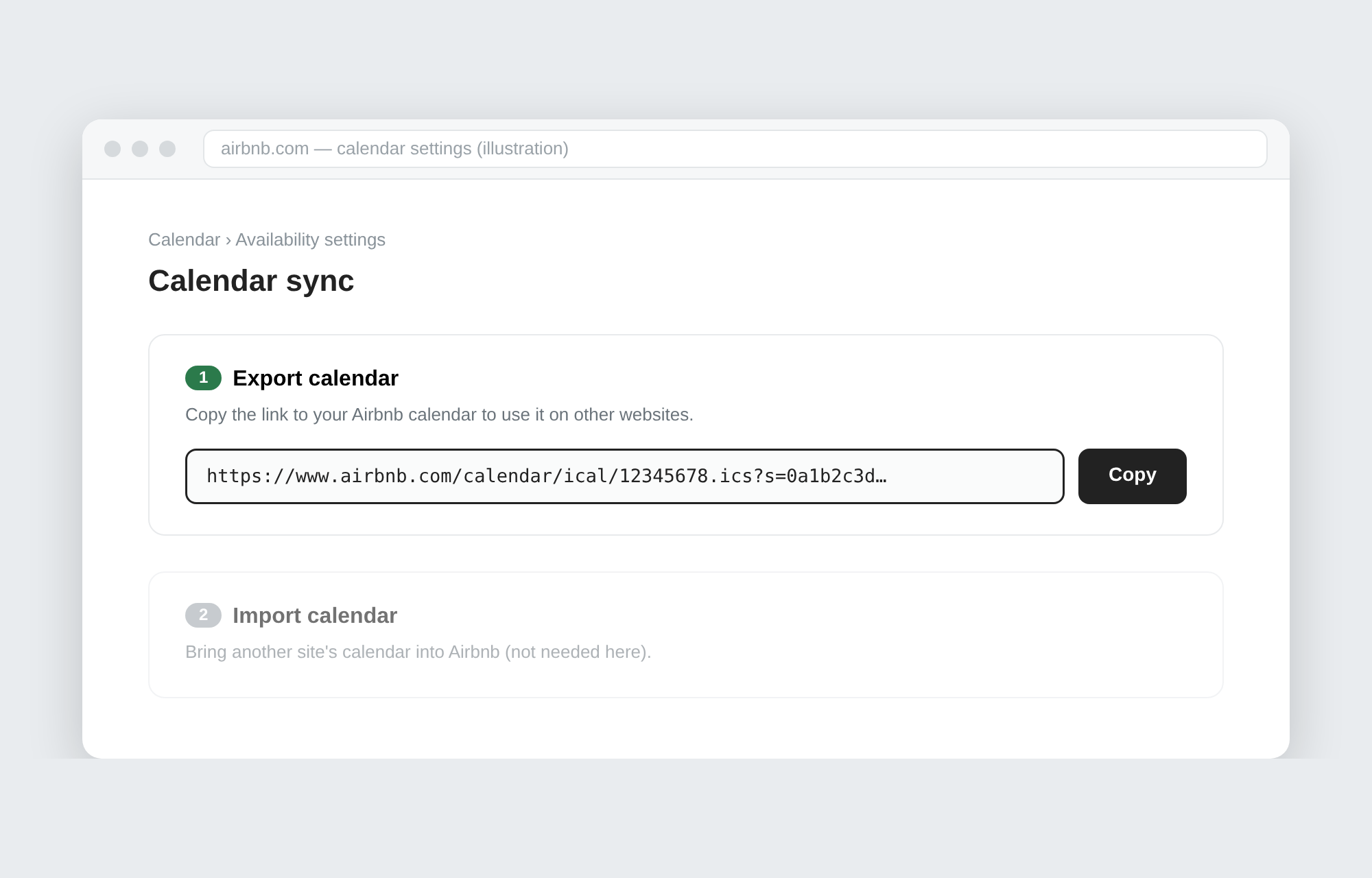
- Open the calendar's Availability settings and go to Calendar sync (sometimes labelled "Sync availability").
- Choose Export calendar — a URL of the form
https://www.airbnb.com/calendar/ical/…icsappears. - Copy it. With several listings, export one URL per listing.
Wording and menu placement shift with Airbnb updates — look for "Export calendar" or "iCal".
What the URL contains
- Reserved date ranges (
Reserved) and dates closed to booking (Airbnb (Not available)). - No guest names, contact details or amounts — the feed carries no personal data.
Handling it safely
- Anyone with the URL can see your availability — don't post it anywhere public.
- Airbnb's export lags a little; a brand-new booking may take a while to appear in the feed.
- Past bookings may be absent, depending on the calendar's settings.
Put that URL to work
Paste your iCal URLs into Seisou Calendar and every property's cleaning days (checkout days) appear on one monthly calendar, shared with your cleaning staff through a single link — no staff accounts needed. Free for up to 10 properties.